Workflow Engine overview
MAIA Plus Workflows are saved directed graphs of registered node types and edges. The Workflows page lists definitions and exposes their trigger, status, node count, and revision; the editor is a visual graph canvas with node configuration and execution inspection. The editor route is part of the protected administration UI.
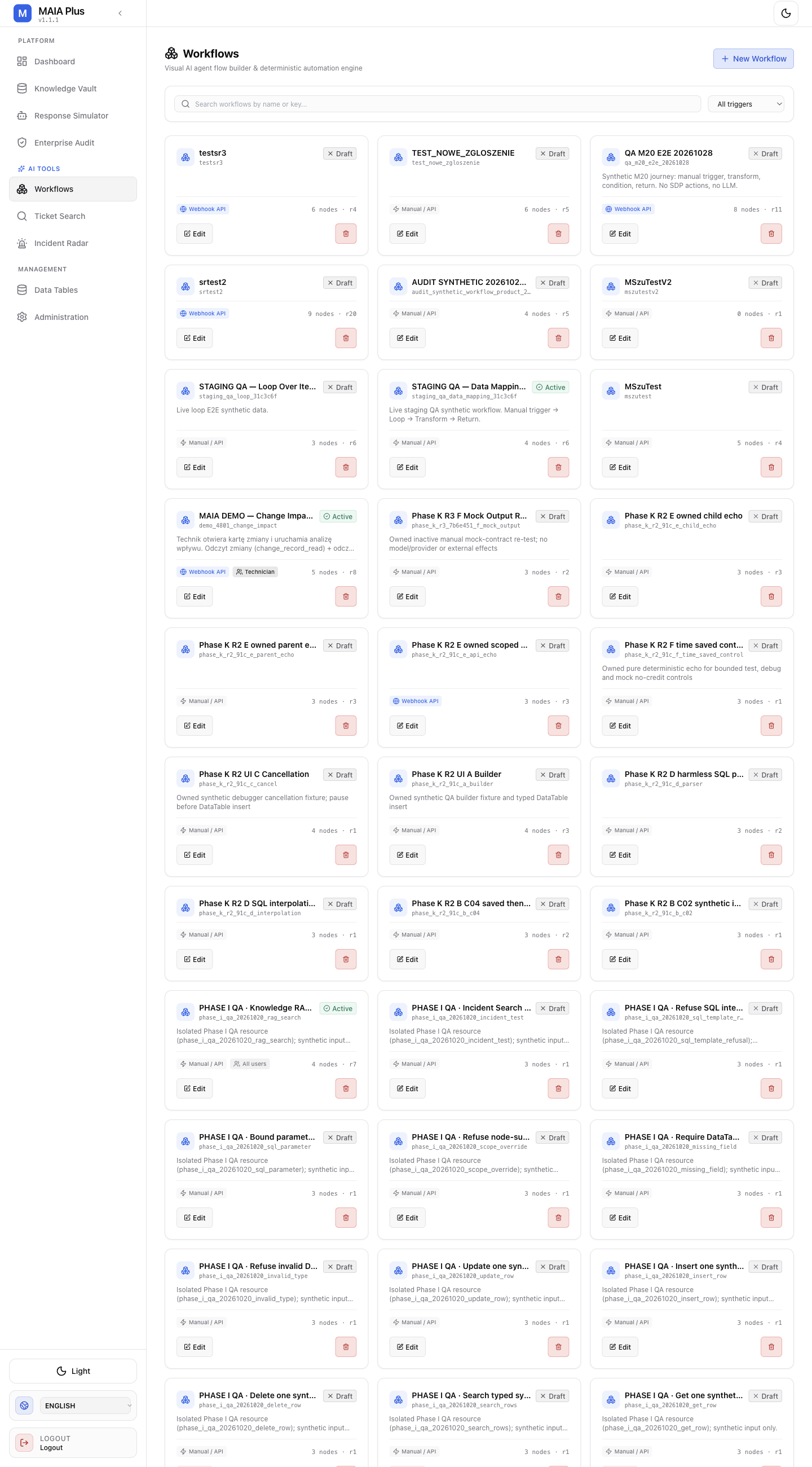
Each workflow card shows its status, trigger type, node count and revision. Names and counts are installation-specific.
A graph contains nodes and edges. Version 3 graph schema is distinct from traversal semantics: newly created definitions use schema version 3 and default to execution semantics 2; execution semantics 3 enables synchronized traversal features such as named merge inputs and schema-v3 loops. Updates preserve an existing traversal version when omitted. Activation performs structural, knowledge-scope, and preflight validation; a structurally valid graph may still be blocked by installation-specific portal, tool, webhook, child-workflow, or policy configuration.
The registered node set
Section titled “The registered node set”The canonical catalog contains 26 node types. It includes three trigger types, AI/model nodes, capability providers, direct actions, control-flow and data nodes, network/code nodes, and the internal logic_loop_boundary type. The boundary is needed by schema-v3 loop bodies but is not a node users add independently from the palette. Catalog pages describe each canonical type; the palette is not a promise that environment-specific dependencies are configured.
Start with Workflow designer, then Triggers, Node reference, and Expressions and context. Individual node pages are listed from the reference.
Execution and effects
Section titled “Execution and effects”Manual/API invocation, a bound webhook, or an active schedule starts a graph from its declared entry. Nodes pass step-specific values along edges; there is no universal output property. Branch nodes activate selected handles, and the graph’s traversal semantics determine joins and loop behavior. A Return / End node sets a workflow result and ends that traversal.
Some nodes only read or transform data; others can call external tools or write. Examples include direct ServiceDesk Plus actions, DataTables insert/update/upsert/delete, and knowledge document upsert/update/delete. A Prediction action returns a recommendation; it does not update a ticket. Tool availability and authorization are bounded by workflow/binding scope and the operation’s own permission contract. Review every write path, arguments, target scope, and approval policy before activation.
Automatic retry is limited: maximum five retries, with default delay 1,000 ms and minimum delay 100 ms; AI Agent, JavaScript Code, and SDP Tools are excluded, SDP action retries are restricted to reads, and HTTP retries to GET/HEAD. Retry settings do not make a side effect safe. onError supports stop and continue; continue forwards an error-shaped result, not a successful business result.
Test and production distinction
Section titled “Test and production distinction”The editor has test and test-step API routes, and editor test state can contain testMock inputs. A test mock is not production node configuration. This guide does not claim that any particular workflow, provider, ticket system, or approval environment was executed. In particular, a test/simulation surface elsewhere in MAIA warns that test mode can perform real operations; do not infer safety from the word “test.” Use controlled non-production targets where available, inspect node writes and approvals, and verify the target installation’s permissions before running.
Version scope
Section titled “Version scope”Deployment-specific portal IDs, schedules, webhook keys, model profiles, tool grants, data, and permissions are not universal product defaults. trigger_sdp_event and data_structured_output are not in the canonical registry and are not documented as supported node types.