Response Simulator
The Response Simulator lets you ask an agent a question outside a real ticket: pick a profile, pick an agent, send a message, read the answer. It is the fastest way to check a persona, a tool grant or a knowledge scope before an automation relies on it.
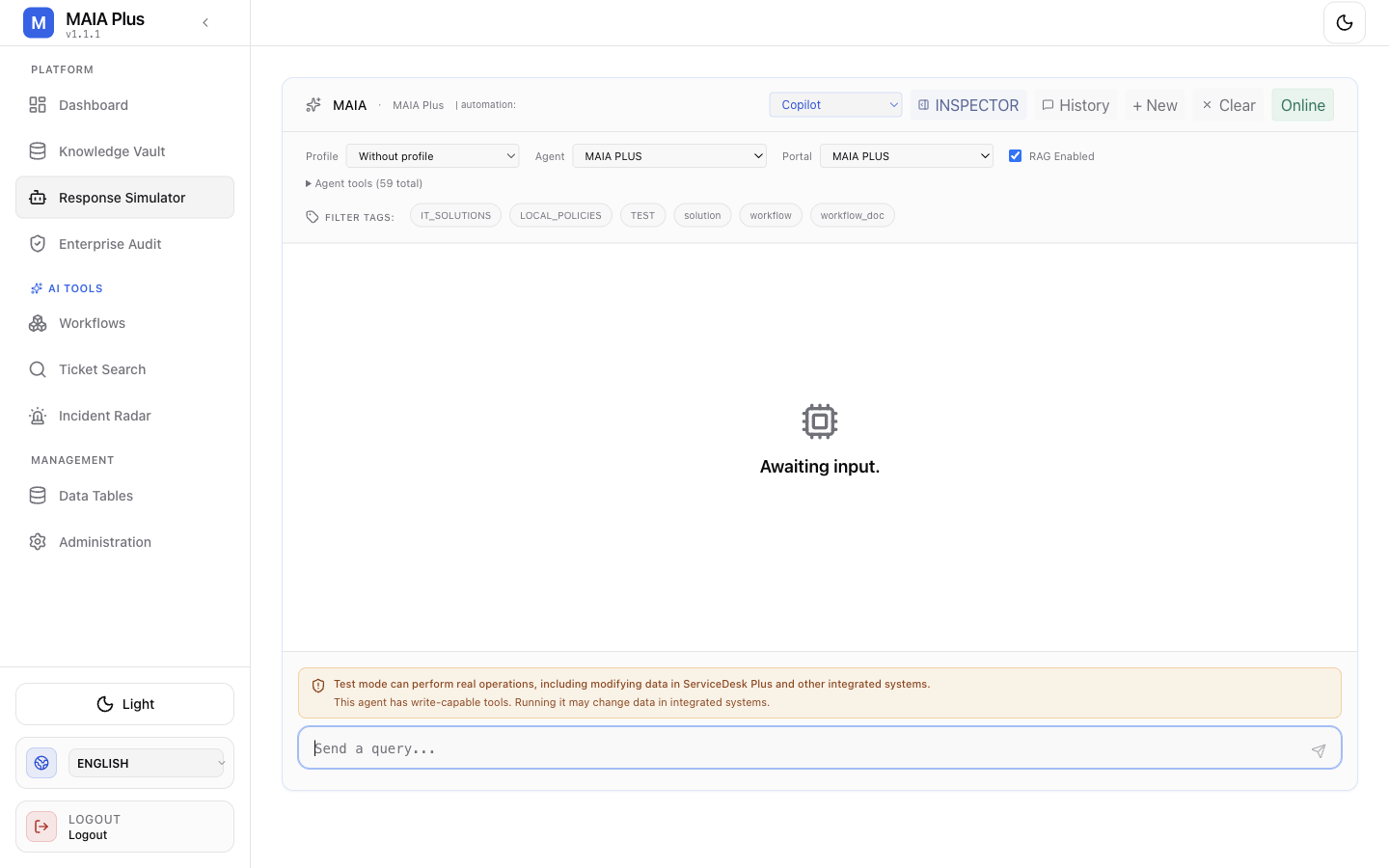
The warning is permanent and accurate: test mode can perform real operations.
What it is
Section titled “What it is”| Control | Meaning |
|---|---|
| Profile | The run profile the simulator uses — the same object automations use, which carries limits, language policy and approval behaviour. |
| Agent | The persona that answers. Choosing an agent here is identical to choosing it for an automation: same instructions, same tools, same knowledge scope. |
| Message | The user turn sent to the agent. |
| Warning | A standing notice that the selected agent may have write-capable tools. |
If a profile and an agent seem to contradict each other, remember the split: the profile decides how the run behaves, the agent decides what it may do and who it is.
How it works
Section titled “How it works”- The simulator builds a request from the profile, the agent key and your message.
- The agent’s instructions, tools and knowledge scope are assembled exactly as in production.
- The model answers, or calls tools.
- Tool calls follow the agent’s approval policy. An approval-required call pauses instead of executing.
- The answer and the tool activity are shown together, so you can see whether an answer was actually grounded.
Use it
Section titled “Use it”- Open Response Simulator in the Platform navigation.
- Choose the profile and the agent you want to exercise.
- Ask a question that a real user would ask — not “hello”, but the actual phrasing from a ticket.
- Read three things, not one: the answer text, whether tools were called, and whether citations appeared.
- Repeat with a question the agent should refuse or escalate. That is where persona and policy problems show up.
A useful habit: keep one question per capability (a ticket read, a knowledge lookup, a write that should require approval) and re-run them after every change to an agent or a provider route.
The side-effect question
Section titled “The side-effect question”The warning is not boilerplate. A simulator run is a real model call, and an agent with write tools and an autonomous policy can change data. Two consequences:
- Cost — each run consumes provider tokens; a long tool loop consumes many.
- Effect — use an agent whose write tools are locked by procedures, or set the approval policy to require decisions, while experimenting.
Conversations created here are conversation records; they do not belong to a ticket, but they do appear in audit.
Limits and failure modes
Section titled “Limits and failure modes”- Answer without tool calls → the agent’s tool list is empty, or the question did not need one; check Knowledge on the agent.
- “No citation” answers → retrieval returned nothing: wrong knowledge scope, portal filter, or an unindexed document.
- Approval pause → the run is waiting for a human; decide it in Pending approval rather than resending.
- Provider errors surface here first → a route that is unassigned or an embedding model of the wrong dimension fails immediately.
- Does not prove scheduling → the simulator proves the agent answers; it says nothing about whether an automation fires.