Managed environment
Most of MAIA Plus is configured in the UI. A handful of settings exist only as environment keys — and those are edited here, one key at a time, with a visible application rule. The tab is deliberately narrow: only whitelisted keys are editable.
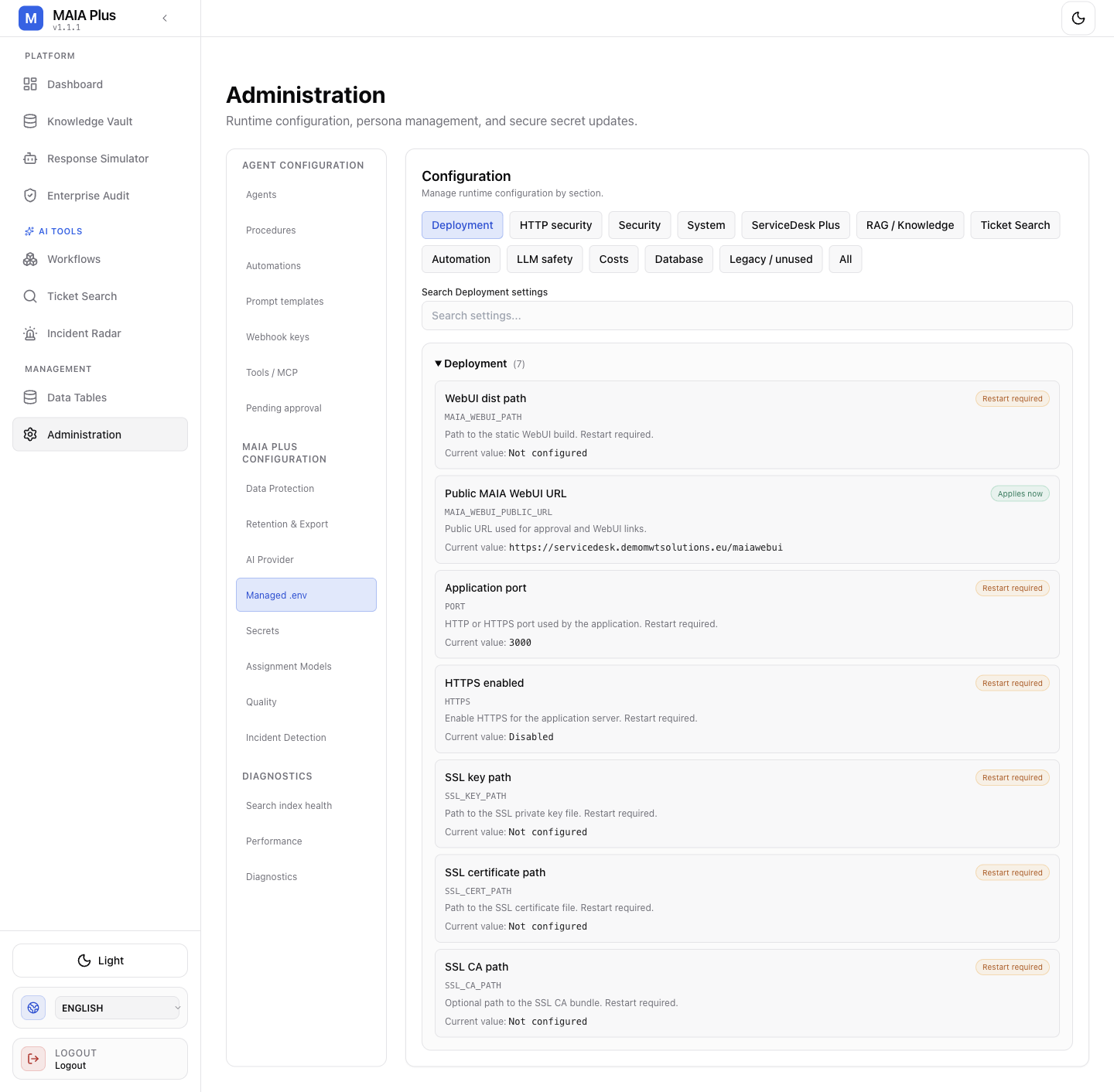
Categories group the keys; each card shows the current value and when it takes effect.
What it is
Section titled “What it is”| Concept | Meaning |
|---|---|
| Managed key | An environment setting the product allows you to change from the UI |
| Category | Deployment, HTTP security, Security, System, ServiceDesk Plus, RAG / Knowledge, Ticket Search, Automation, LLM safety, Costs, Database, Legacy / unused |
| Applies now | The new value is used by the next request |
| Restart required | The value is stored, but the running process keeps the old one until restart |
| Target | Where the value lands: a configuration value, a managed setting, or a secret |
How it works
Section titled “How it works”- A setting is resolved from its catalog entry: type, validation, target and application timing.
- The editor renders the matching control — select, boolean, JSON, number, text or password.
- On save, the value is validated for that key, stored at its target, and applied according to its timing.
- Restart required is written to Diagnostics as a pending-restart state until the service restarts.
The current displayed value is not a default. It is what this installation has, which may differ from the catalog default on purpose.
Edit a setting
Section titled “Edit a setting”- Open Administration → Managed .env.
- Pick a category, or use the search field (the placeholder names the selected category).
- Read the application timing before changing anything.
- Enter the value. JSON values are parsed as JSON — use Validate JSON rather than guessing.
- Save. Clear the field? Save is disabled for an empty value; there is no “unset” through this editor.
- If the card says Restart required, complete the change in Diagnostics — the value is not live yet.
Proxy settings may expose Test proxy, which sends an outbound request. Treat it as a network action, not a local check.
Settings that bite
Section titled “Settings that bite”| Setting | Why it matters |
|---|---|
KB_SOURCES_CONFIG | The knowledge source array; malformed JSON is rejected on save, and a wrong access value can publish internal content |
PGVECTOR_DB_VECTOR_DIMENSION | Must equal the embedding model’s dimension; changing it invalidates the whole vector store |
SDP_LIVE_ACCESS_QUERY_MODE | auto, msp or standard; decides how scope queries are built against the SDP database |
| Anything under Legacy / unused | Kept for compatibility; do not “clean it up” without checking the release notes |
PORT, PUBLIC_HTTPS_MODE | Bind and proxy behaviour; a wrong value looks like an outage |
What this tab cannot do
Section titled “What this tab cannot do”- It cannot add a key that is not in the catalog.
- It cannot reveal a secret value; secret targets are write-only.
- It cannot apply a restart-required change by itself.
- It does not validate against your environment — only against the key’s own rules.
Limits and failure modes
Section titled “Limits and failure modes”- Saved but unchanged behaviour → most likely a restart-required key.
- Validation rejected → the value is wrong for that key’s type, not for the product.
- Wrong category → the key is editable, but you are looking in the wrong place.
- Environment file edited by hand as well → two sources of truth; the UI value wins after restart, and the file becomes misleading.
Related topics
Section titled “Related topics”Diagnostics · Security and secrets · Knowledge Sources · Platform support and sizing