Confirm the installed version and review readiness
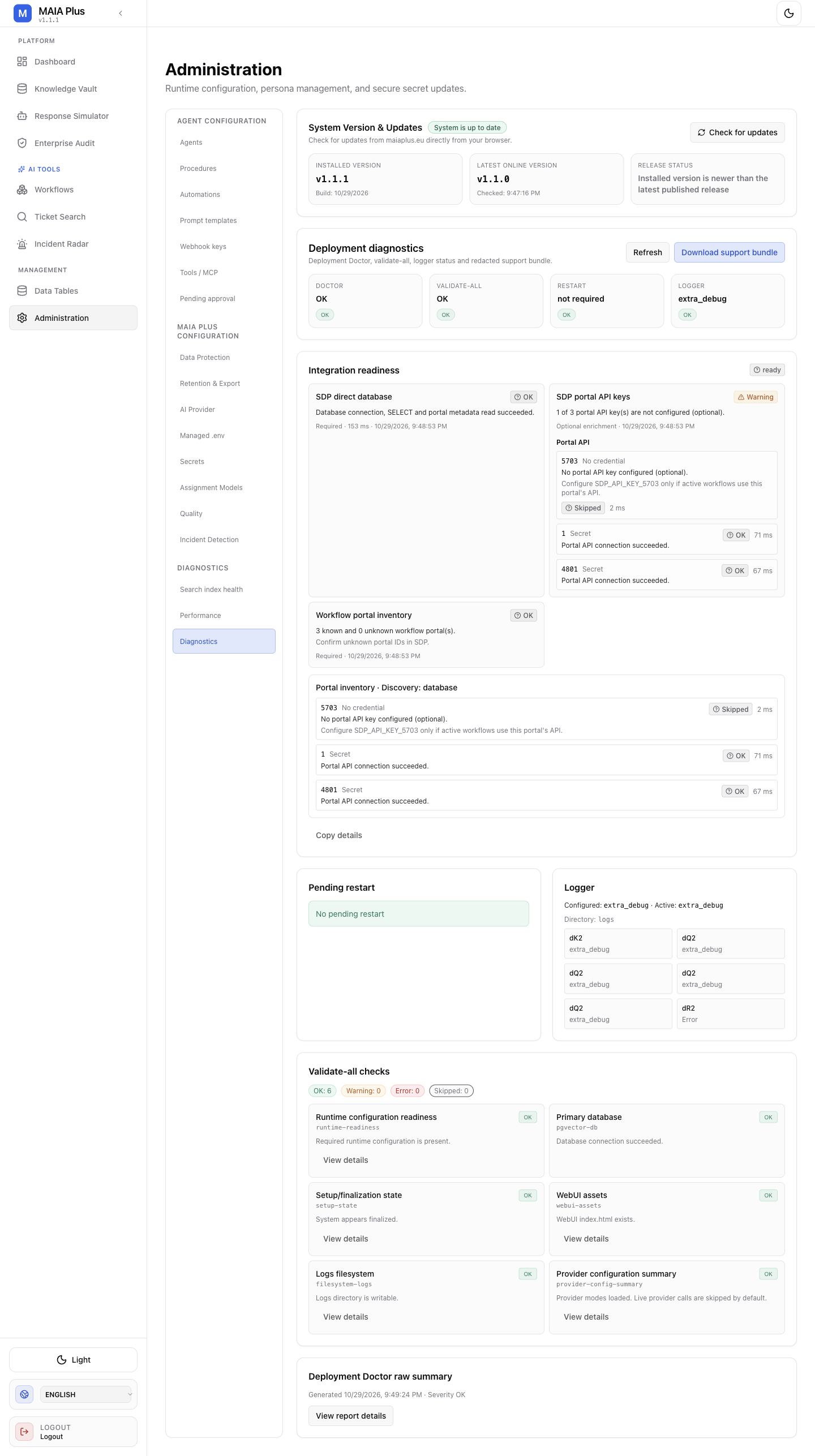
Diagnostics is the first stop when a readiness question needs an answer.
Overview
Section titled “Overview”Use this procedure to find the installed MAIA Plus version and review the readiness and validation summaries already displayed in Administration. The procedure does not initiate an update check, refresh, download, or validation action.
Before you begin
Section titled “Before you begin”- Sign in to MAIA Plus with an administrator account. Administration is available to administrators.
- Do not use this procedure to diagnose or repair a failing integration. It is limited to reading the visible status.
Where to find it
Section titled “Where to find it”Open Administration, then select Diagnostics.
Procedure
Section titled “Procedure”- In System Version & Updates, read the installed version shown on the page.
- Review the visible deployment diagnostics and Integration readiness status.
- Review the displayed pending-restart and logger status.
- In the validation summary, note the displayed counts for OK, warnings, errors, and skipped checks.
- Stop without selecting Check for updates, Refresh, Download support bundle, Copy details, View details, or View report details.
Expected result
Section titled “Expected result”You can report the version and the current displayed readiness, restart/logger, and validation summaries. Values are installation- and time-specific; do not reuse values from another observation.
What this tells you
Section titled “What this tells you”- The installed-version label identifies the version reported by this Diagnostics view.
- The displayed readiness and validation counts summarize the state presented at the time you viewed the page.
- Opening Administration loads system status, logging status, deployment-doctor information and connectivity results, and runs a validation pass. The values you read are the result of that load.
What it does not tell you
Section titled “What it does not tell you”- A displayed status is not a guarantee of continued system availability or successful operation.
- A validation summary reflects the checks performed when the page loaded; it is not re-run while you read it.
- This procedure does not check whether a newer version exists or is installable, and it repairs nothing. It reads the displayed state only.
- Download support bundle and the copy/report controls produce exports that can contain operational information. Handle them as confidential, and review them before sharing outside your organization.