AI agent nodes
Two AI nodes exist for two jobs. LLM Call asks a model once and returns its answer. AI Agent runs a loop in which the model may call tools, read the results and continue until it decides it is done. Choosing wrongly is the most common cause of a workflow that “answers without doing anything” or one that runs for minutes and costs real money.
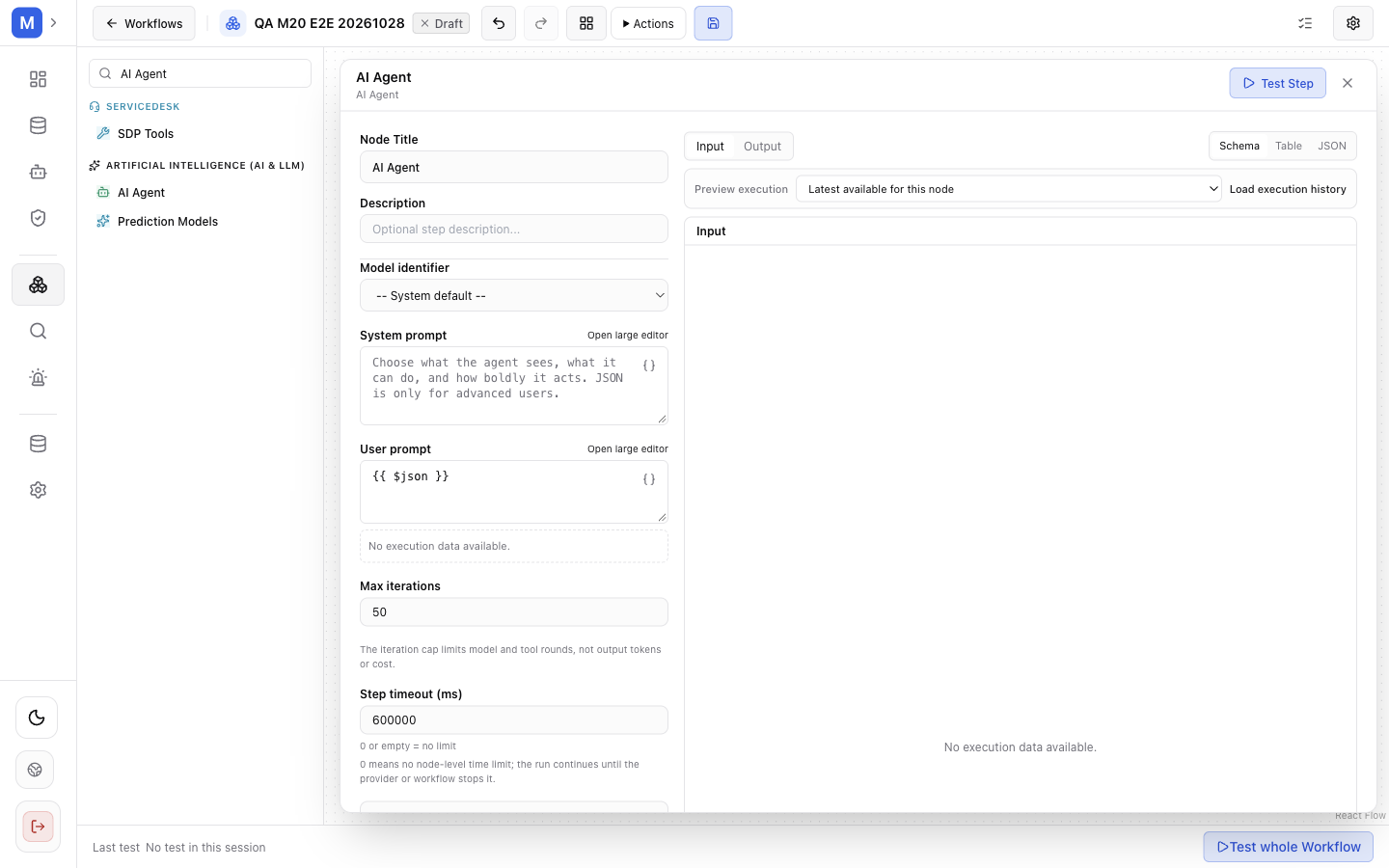
The AI Agent panel binds an agent or defines its own instructions, and caps the loop with a maximum iteration count.
LLM Call versus AI Agent
Section titled “LLM Call versus AI Agent”| Aspect | LLM Call | AI Agent |
|---|---|---|
| Model turns | One | Many, until the model stops calling tools |
| Tools | None | Whatever is connected through a tools inlet |
| Determinism | High — same input, similar output | Low — the model chooses the path |
| Cost | One completion | One completion per iteration, plus tool calls |
| Failure mode | Malformed or unusable output | The loop does not converge, or a tool is called where it is not appropriate |
| Use for | Summarise, classify, extract JSON, rewrite | Investigate, decide, act with several capabilities |
If the answer is a transformation of the input, use LLM Call. If the answer requires looking something up or changing something, use AI Agent.
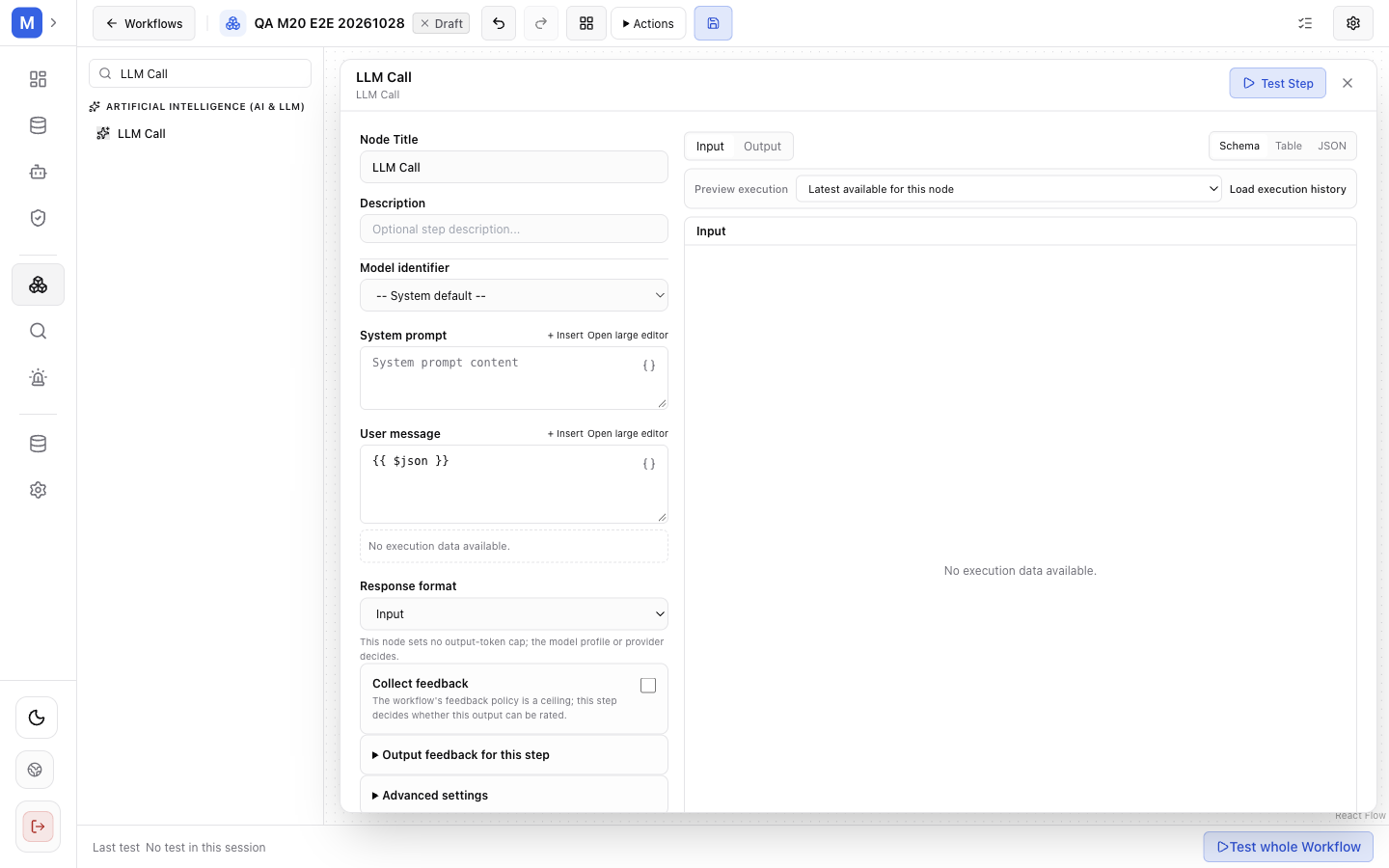
A single completion: no tools, no loop, no iteration limit to tune.
How the agent loop works
Section titled “How the agent loop works”prompt → model → (tool call?) → execute tool → tool result → model → … → final answer- The node builds the prompt from its instructions and the input.
- The model answers, or requests a tool.
- The requested tool is executed — and here the graph matters, see below.
- The result is appended to the conversation and the model is asked again.
- The loop ends when the model answers without a tool call, or when the iteration limit is reached.
max iterations bounds the tool loop for one step. A limit of 1 permits a single model turn, which is enough for a fixed prompt but not for a task that needs several tool calls. Higher limits allow the step to complete more of that work and also increase execution time and token consumption. Most production graphs settle between 4 and 8.
Capability nodes feed the agent
Section titled “Capability nodes feed the agent”An agent has tools only if something provides them. In the canvas, provider nodes connect to the agent’s tools inlet:
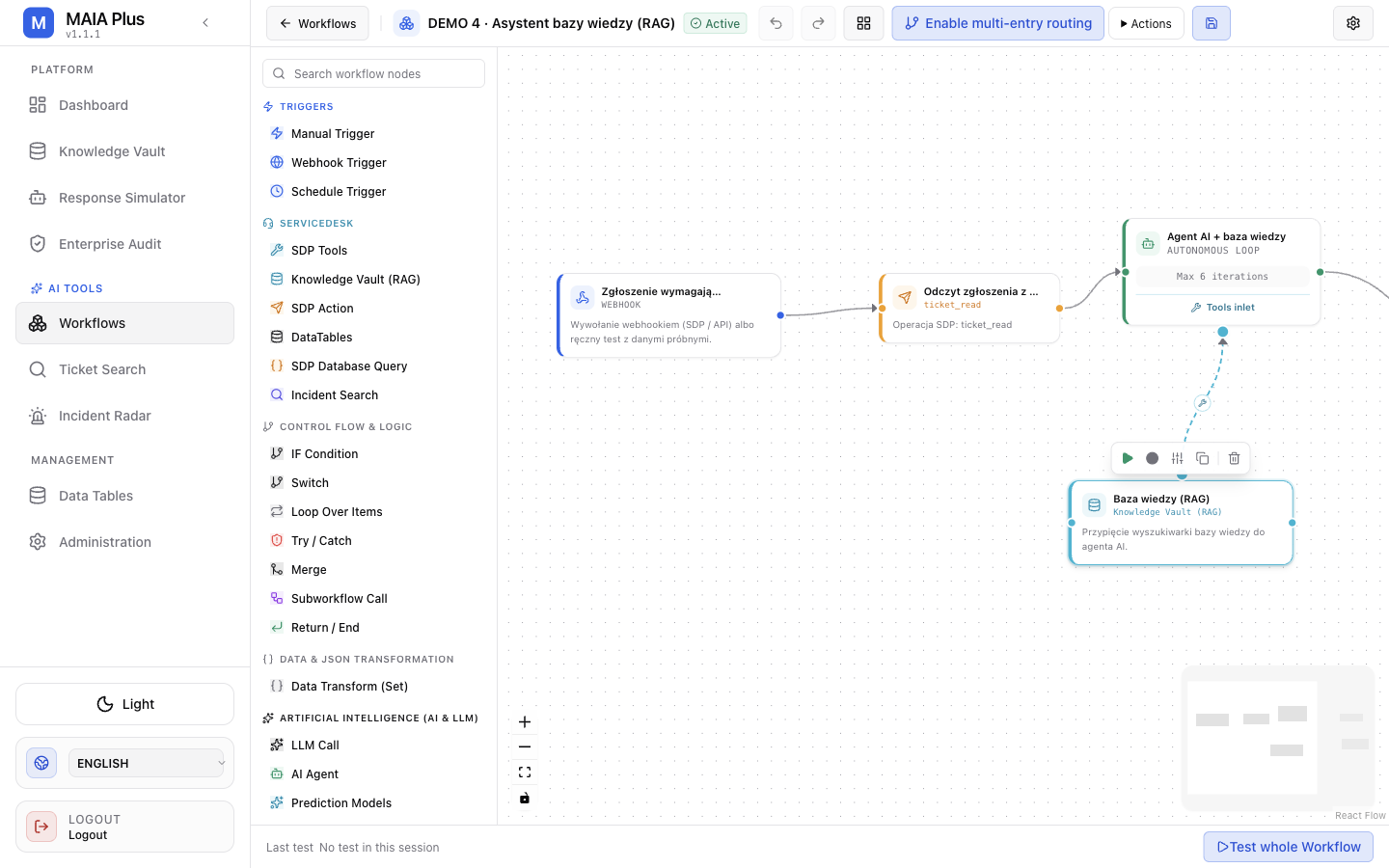
The Knowledge Vault (RAG) card connects to the agent’s tools inlet with a dashed edge; the ticket read feeds the main flow.
| Provider node | Gives the agent |
|---|---|
| SDP Tools | ServiceDesk Plus operations |
| Knowledge Vault (RAG) | Knowledge search |
| Prediction Models | Assignment-model inference |
| MCP Tools | Tools published by an external MCP server |
A provider node on the main flow instead of the tools inlet is the classic mistake: the graph runs, the agent answers, and nothing was ever available to it.
Binding an agent
Section titled “Binding an agent”The AI Agent node can either bind a registered agent by key or define its own instructions inline.
- Bind a registered agent when the persona, tools and retrieval policy must be identical to what the Copilot or an automation uses. One change updates every consumer.
- Inline instructions when the graph needs a narrow, local persona that no other surface should reuse.
Binding does not remove the tool requirement: the agent’s own tool list still applies, and the provider nodes in the graph must expose the capabilities the agent is allowed to use.
Approvals inside a loop
Section titled “Approvals inside a loop”A write tool can be gated by approval. When that happens the run pauses — it does not fail and it does not skip the tool. The pause is visible as Waiting for input in Enterprise Audit, and the decision is recorded under Approvals with who decided and how long it waited.
For an unattended automation, an approval gate means the workflow can block indefinitely. Decide deliberately: autonomous for read-only tools, approvals for writes.
Limits and failure modes
Section titled “Limits and failure modes”- Answer without tool calls → no provider node connected, or the agent’s tool list is empty.
- Loop that ends at the limit → the model never concluded; raise the limit or narrow the instruction.
- Repeated identical tool calls → the tool returns something the model cannot use (an error string it retries); fix the tool, not the prompt.
- Cost spike → iterations × completion size; cap iterations and keep prompts short.
- Model ignores instructions → the instruction is too long; move stable rules into a procedure.
Related topics
Section titled “Related topics”Agents · Tools and MCP · Node reference · Testing and debugging