Enterprise Audit
Enterprise Audit is the single place that answers “what did the system do, on whose behalf, and what happened?” Every agent run, every approval decision, every tool call and every external request lands here. It is not a log viewer — it is a sanitized record designed to be read by a human after the fact.
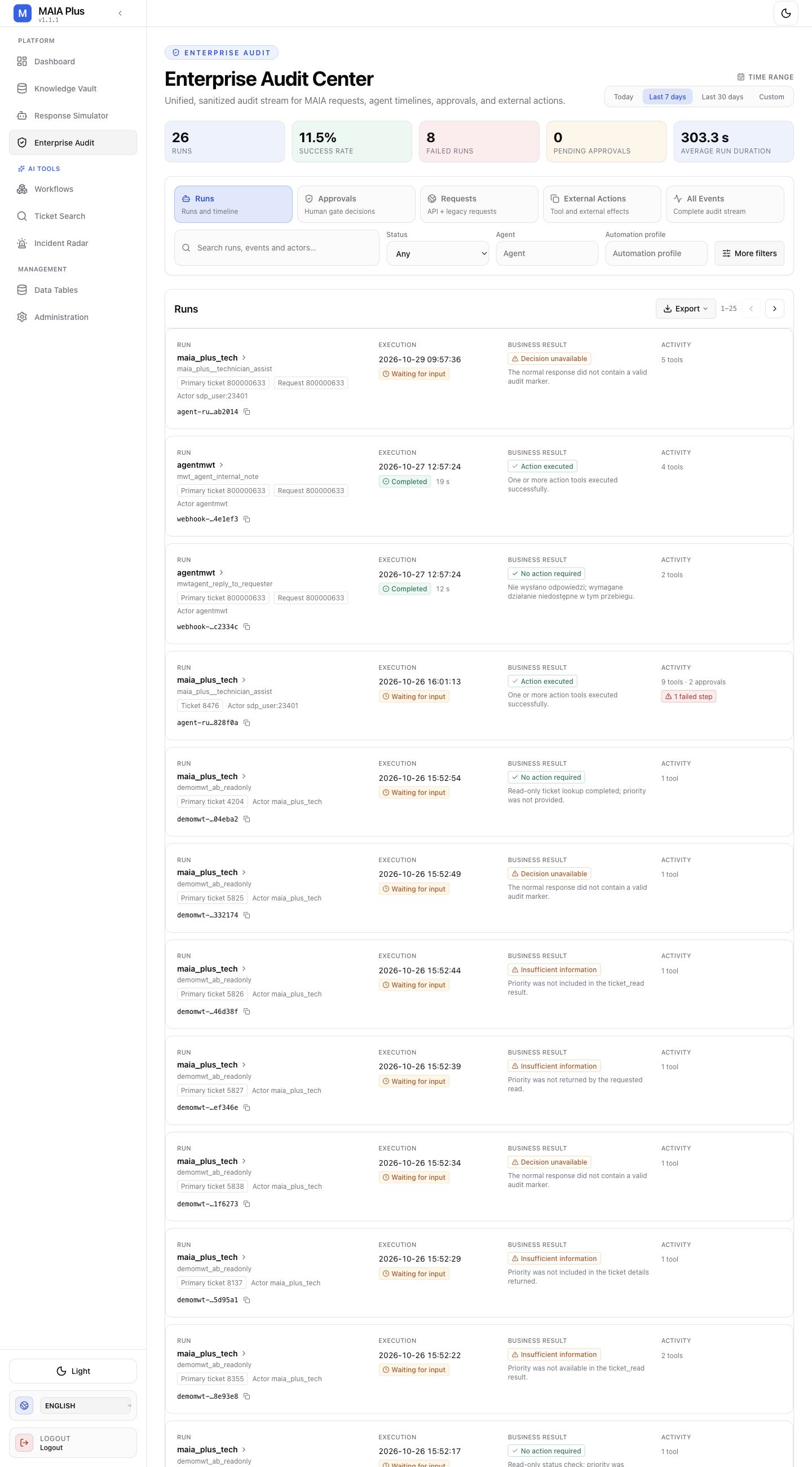
The header counts are scoped to the selected time range; the views below change the question, not the time window.
The five views
Section titled “The five views”| View | Question it answers | What a row is |
|---|---|---|
| Runs | What executed, and how did it end? | One agent run: model, status, duration, business result, activity count |
| Approvals | Which human decisions were made, and by whom? | One approval request: the action, the run that asked, who decided, how long it waited |
| Requests | Which API and legacy calls arrived? | One inbound request with its scope and outcome |
| External Actions | What did we send outside MAIA Plus? | One tool or external effect, with its target |
| All Events | The full stream, unfiltered by kind | Any event, in time order |
Start in Runs when something behaved unexpectedly; start in Approvals when somebody asks “who allowed this?”.
A run row carries:
- Run key — the agent or automation key that executed, with a link into the run.
- Execution — start time and duration. Waiting for input means the run paused for an approval and is not finished.
- Business result —
Action executed,No action, orDecision unavailable. The last one is the important one: it means the response did not contain a valid audit marker, so the business outcome could not be proven from the payload. It is not the same as a failure. - Activity — how many tool calls the run performed. A run claiming success with zero activity usually only produced text.
- Actor — the SDP user or the system identity behind the run.
Approvals
Section titled “Approvals”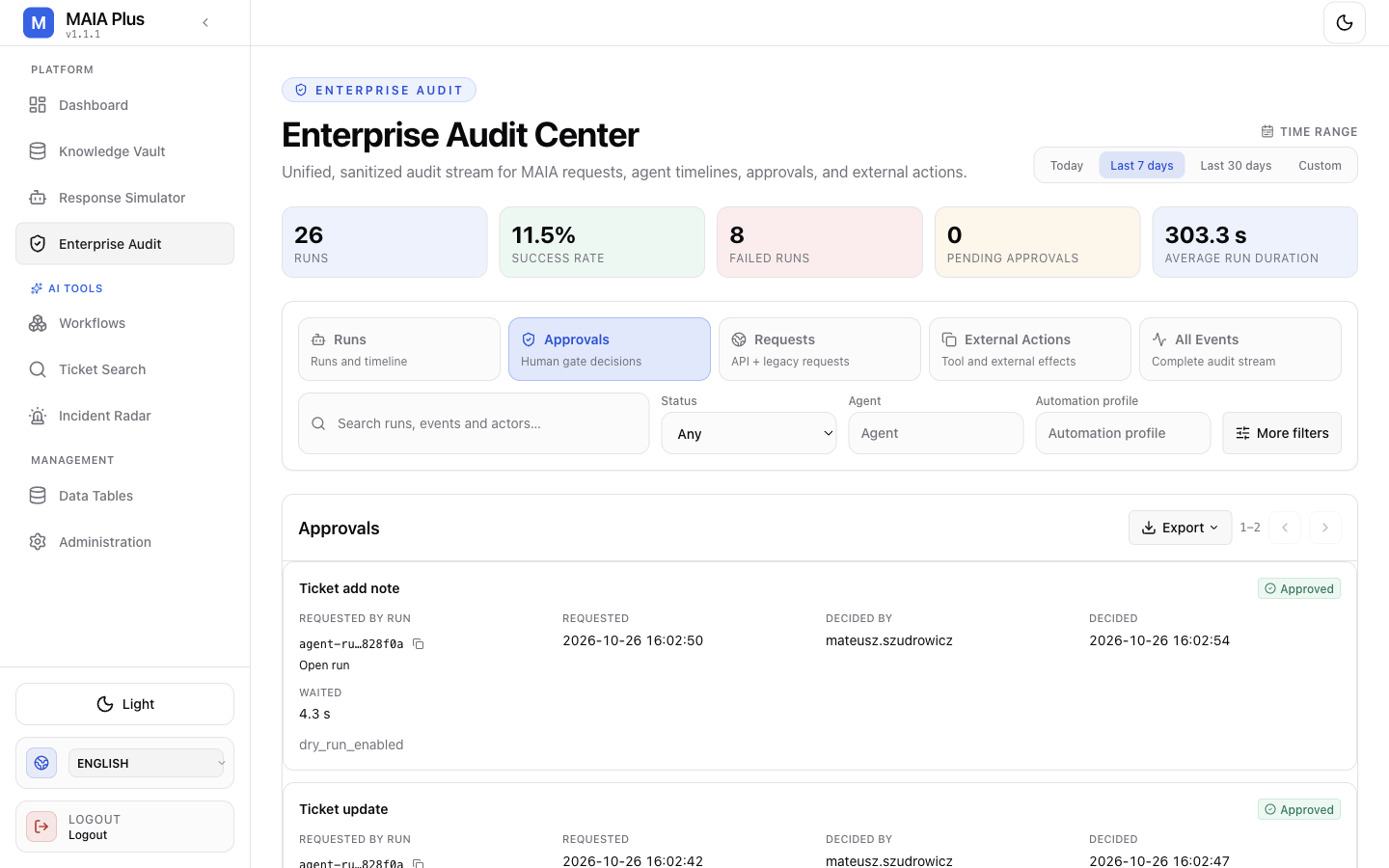
Each approval row names the action requested (Ticket add note, Ticket update), the run that requested it, when it was requested and decided, who decided, and how long it waited. dry_run_enabled indicates the decision was made under a dry-run context.
The wait time is the number to watch: a long wait means the run was blocked on a human, which is a process problem, not a system problem.
Requests and External Actions
Section titled “Requests and External Actions”
Requests is the inbound side: which caller, which scope, which outcome. Use it when a webhook “does nothing” — the call either arrived here or it never left ServiceDesk Plus.
External Actions is the outbound side: what MAIA Plus did to another system. This is the view auditors ask for, because it is the list of real-world effects.
Read a run
Section titled “Read a run”- Filter by Agent, Automation profile or Status, and set the time range.
- Open the run to see its timeline: each step, its tool calls, and the payload each returned.
- Match the timeline against the ticket: a step that failed is visible here even when the run reports success overall.
- Cross-reference Approvals for anything that paused, and External Actions for anything that left the system.
Provenance matters when a prediction or an answer is questioned: an assignment-model run records the model version and artifact it used, so “which model said this” has an answer.
Export
Section titled “Export”Export produces the current view for the selected range. Treat the file as sensitive: it contains actor identifiers, run payload summaries and ticket references.
Limits and failure modes
Section titled “Limits and failure modes”- Empty view → almost always the time range, not missing data.
Decision unavailable→ the run produced no valid audit marker; investigate the agent’s final response shape rather than the audit.- Answered from cache or a fixture → the run shows the model call but no external action; compare Activity before claiming work was done.
- Sanitisation → payloads are trimmed before storage, so an audit row is evidence of what was reported, not a verbatim transcript.
- Retention → older rows disappear according to the retention policy; export before the window closes if the record matters.