Overview
Administration is 21 panels grouped into three families. This page is the map: what each panel answers, and the order in which configuring them actually makes sense.
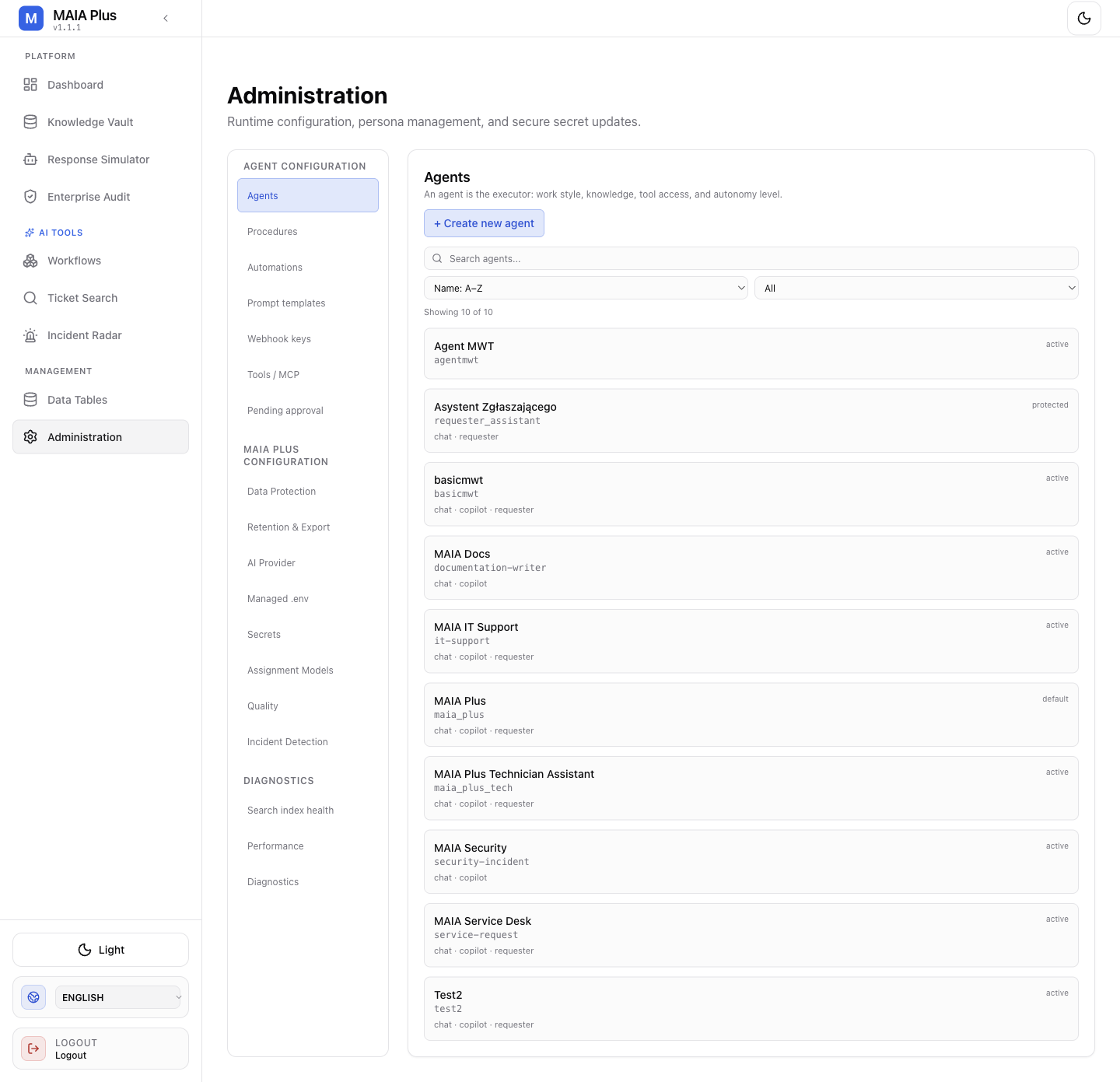
The navigation groups follow the lifecycle: what acts, what it uses, then how to check it.
Configure in this order
Section titled “Configure in this order”| Step | Panel | Why it comes here |
|---|---|---|
| 1 | AI providers | Nothing that reasons works without a model and an embedding route |
| 2 | Assignment models | Optional, but assignment quality gates everything downstream |
| 3 | Knowledge | Retrieval needs an embedding route and a corpus |
| 4 | Agents | Persona, tools and knowledge scope decide behaviour |
| 5 | Procedures + Prompt templates | Unlock write tools and version the instructions |
| 6 | Tools and MCP | Register external capabilities before granting them |
| 7 | Webhook keys → Automations | Credentials before endpoints |
| 8 | Data Protection | Redaction must exist before the first request carries real customer data |
| 9 | Approvals | Decide who may authorise writes |
| 10 | Retention and export | Set the evidence horizon early |
Where Data Protection belongs
Section titled “Where Data Protection belongs”Steps 1–7 send real ticket text to an external model. If the installation will carry customer data, move Data Protection (step 8) to position 2 — before the first agent is tested — and test the first agent on a synthetic ticket rather than a live one. A redaction policy added after a week of traffic is a policy applied to data that has already left.
Panel map
Section titled “Panel map”| Panel | Question it answers |
|---|---|
| Dashboard | Is the installation healthy and what is it producing? |
| AI providers | Which model serves which workload, and does it connect? |
| Assignment models | Which technician or group should this ticket go to? |
| Agents | Who answers, with what tools and how much autonomy? |
| Procedures | When may an agent use a write tool? |
| Prompt templates | Which instructions, at which revision? |
| Automations | Which webhook runs what, and what may it change? |
| Webhook keys | Who may call which endpoint? |
| Tools and MCP | Which capabilities exist and who may use them? |
| Approvals | What is waiting for a human decision? |
| Knowledge | What can MAIA Plus retrieve? |
| Data Protection | What happens to personal data? |
| Retention and export | How long is evidence kept? |
| Security and secrets | Where do credentials live? |
| Managed environment | Which installation settings are editable? |
| Quality | Do users find the output useful? |
| Incident Detection | Where may tickets be clustered? |
| Search index health | Is the ticket index current? |
| Performance | Is the latency the provider or us? |
| Diagnostics | What is broken right now? |
Running surfaces outside Administration
Section titled “Running surfaces outside Administration”| Surface | Purpose |
|---|---|
| Response Simulator | Try an agent without a ticket |
| Enterprise Audit | Runs, approvals, requests, external actions |
| Ticket Search | Have we seen this before? |
| Incident Radar | Is this one problem or twenty? |
| Data Tables | Typed storage for workflows |
Safe operating rules
Section titled “Safe operating rules”- Nothing in Administration is free. Saving a provider, an agent or an automation changes live behaviour immediately.
- Restart-required settings are not live. Check Diagnostics after saving one.
- Writes are approvals’ business. An agent in Auto mode with an unlocked write tool acts without asking.
- Every change is traceable. Revisions and audit rows exist so a change can be attributed later.
Related topics
Section titled “Related topics”Roles, portals and scope · Approvals and autonomy · Data flow and privacy · Installation