AI providers
Every AI feature in MAIA Plus — Copilot answers, workflow LLM steps, knowledge retrieval, ticket search — runs on a provider profile. This page explains the two kinds of workload those profiles serve, how MAIA Plus decides which profile serves which workload, and how to configure and test one.
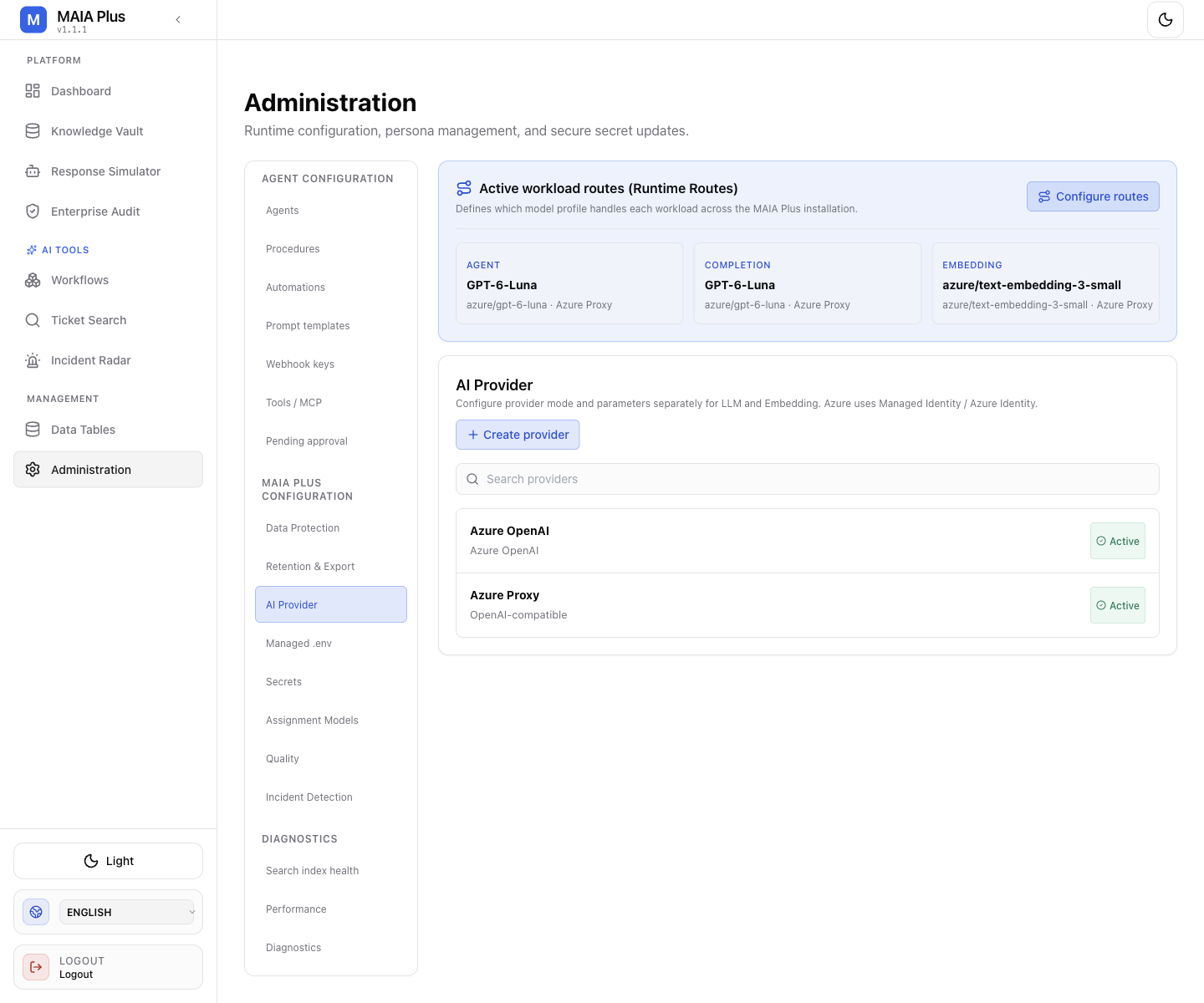
The tab summarises the three workload routes at the top and lists the configured provider profiles below.
What it is
Section titled “What it is”| Term | Meaning |
|---|---|
| Provider | A connection definition: vendor kind, base URL, authentication mode, credentials, and optional model discovery. |
| Model profile | A single model inside a provider — the identifier that is actually sent in requests, plus its capability (language generation or embeddings), cost rates and LLM parameters. |
| Workload route | The decision of which model profile serves Agent, Completion and Embedding work across the installation. |
| Capability | Whether a profile generates text (Language generation) or produces vectors (Embeddings). A profile cannot do both. |
LLM versus embedding
Section titled “LLM versus embedding”These are not two vendors. They are two different jobs:
- Language generation (LLM). The model receives text and returns text. It answers, summarises, classifies, extracts JSON. It is what a Copilot reply or a workflow
llm_callstep produces. It is stochastic and priced per token in and out. - Embeddings. The model receives text and returns a fixed-length vector — a list of numbers. It never answers anything. Two texts are “similar” when their vectors point in a similar direction, which is what makes semantic search work: retrieval finds a ticket or document by meaning, not by matching words.
Practical consequences:
- Retrieval features (Knowledge Vault search, Ticket Search, workflow
rag_search) need an Embedding route. - Answering features (Copilot,
llm_call,ai_agent) need an Agent or Completion route. - Changing the embedding model invalidates the existing index: vectors from two different models are not comparable, so a re-index is required.
- Embedding calls are usually far cheaper and have no temperature or creativity settings.
Agent versus Completion inside the language route is a matter of policy, not capability: the Agent route serves agent-style traffic (system prompt, tool schemas, higher iteration counts) and the Completion route serves single-shot calls. Splitting them lets an installation put an expensive model behind agents and a cheap one behind bulk steps.
Configure a provider
Section titled “Configure a provider”Open Administration → AI Provider, then Create provider.
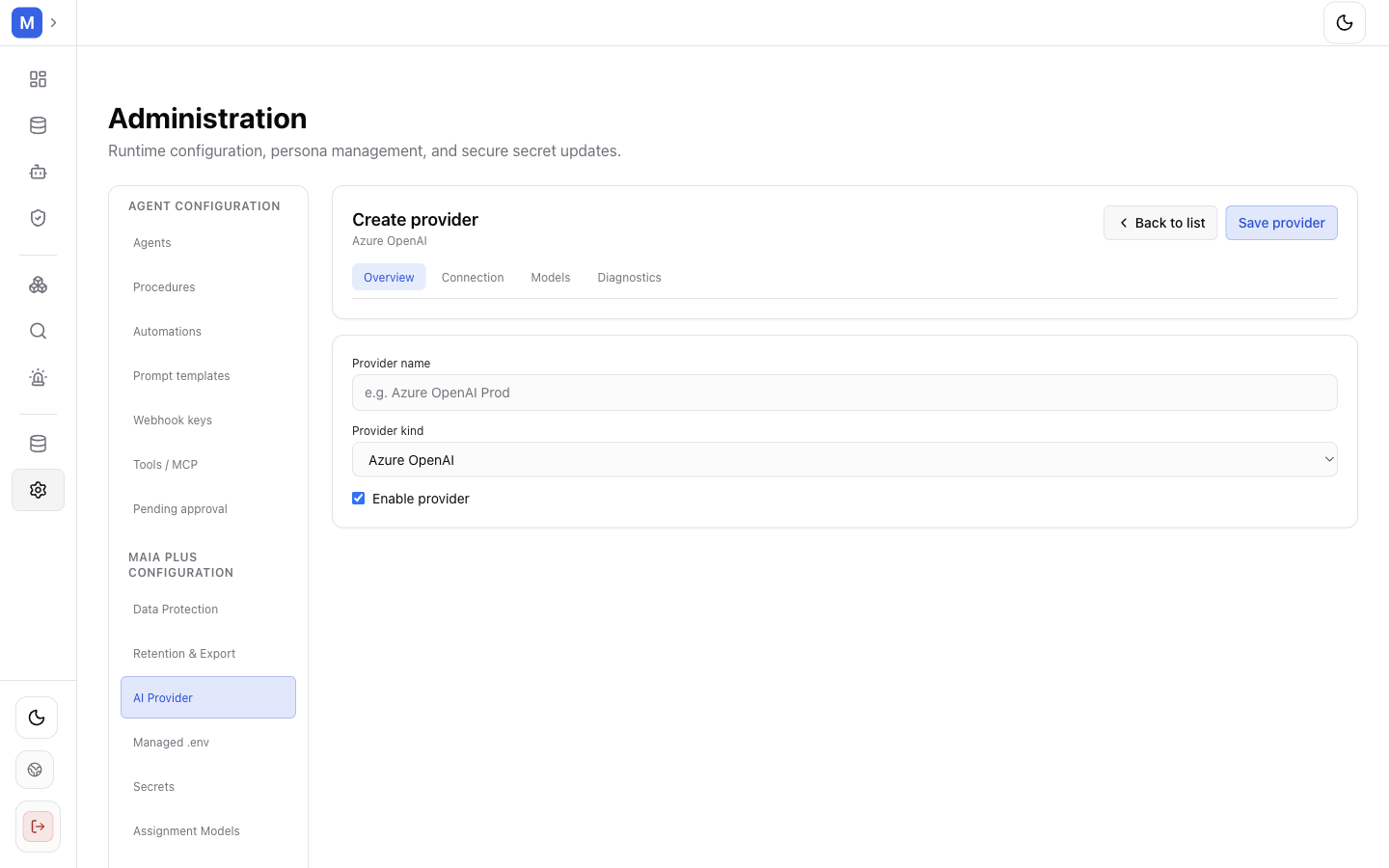
Provider kind drives the available fields; changing the kind later removes the incompatible ones.
- Provider kind — OpenAI, Azure OpenAI, OpenAI-compatible, Anthropic, Google AI, Google Vertex AI, Amazon Bedrock, Mistral, Cohere, Groq, DeepSeek or xAI.
Azure ProxyandOpenAI-compatibleappear as ordinary kinds; the latter is the way to reach any vendor that speaks the OpenAI protocol. - Provider name — a label for the list.
- Authentication mode — depends on the kind: API key, Azure API key, Azure client secret, Azure system-assigned managed identity, Azure user-assigned managed identity, AWS access keys, AWS default credentials, Google service account, Google application default credentials.
- Connection fields — Base URL (for example
https://api.openai.com/v1), or the Azure triple Azure resource name / Azure base domain / Azure API version. For Azure you can paste a full portal URL into Auto-fill from Azure URL and the form extracts resource and API version for you. - Credentials — API key or Client ID / Tenant ID / Client secret. Secret inputs are write-only: after saving, the value is masked and only Show reveals what you typed in this session.
- Profiles — Add profile per model: name, Model ID, capability, and for Azure the Deployment Name. Use Discover models to list what the endpoint advertises instead of typing identifiers blind.
- Optional per profile: Cost rates / 1M tokens (USD) so the Dashboard can price usage, Dimensions for embeddings, and LLM Parameters (JSON) for provider-specific payload fields.
Set the workload routes
Section titled “Set the workload routes”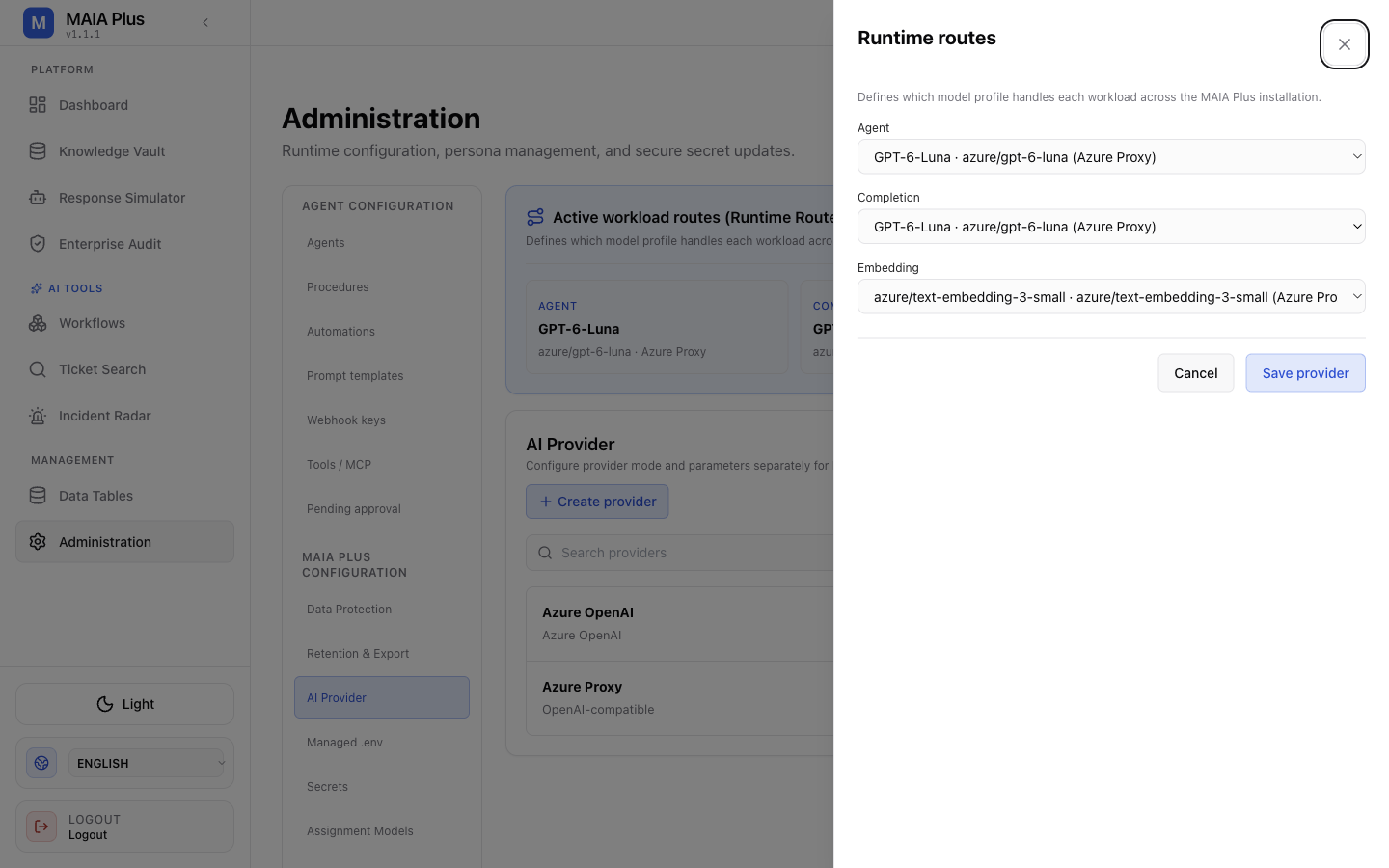
Runtime routes: one profile per workload, applied across the whole installation.
- Select Configure routes.
- Choose a profile for Agent, Completion and Embedding. No profile assigned means that workload is unconfigured and will fail rather than fall back silently.
- Select Save provider.
Routes are installation-wide: one profile per workload, shared by every consumer of that workload. A registered agent does not carry a model field — its behaviour is policy (instructions, tools, knowledge scope, autonomy), and its model comes from the Agent route.
Two mechanisms sit above the route and take precedence over it:
| Precedence | Mechanism | Where it is set |
|---|---|---|
| 1 (highest) | An explicit modelProfileId on a workflow step | AI Agent and LLM Call nodes in the workflow editor |
| 2 | The workload route | AI providers → Configure routes |
| 3 (fallback) | The legacy single-provider configuration | Existing installations that have not published routes |
An explicit profile is resolved as named: if it does not exist, or its provider is inactive, the step fails rather than silently using the route. Embedding is the exception — a failed embedding route can fall back to the legacy embedding transport, which is why an embedding model change must be followed by a re-index.
Test a provider
Section titled “Test a provider”Testing answers one question: can this configuration complete a request right now?
- Save the section first — the UI states Save changes in this section before running the test, because a test runs against the saved configuration, not the draft.
- Run the test action on the provider or profile.
- Read the result as a connection verdict: authentication rejected, endpoint unreachable, model identifier unknown, or a successful completion with latency.
Two rules follow from what a test is:
- It sends a real request to the vendor and is billed as one.
- It proves the credential and the endpoint. It does not prove that the Agent route is assigned, that the agent has tools, or that retrieval will find anything.
If a test fails, check in this order: authentication mode and secret, base URL shape (a missing /v1 is the most common OpenAI-compatible error), model identifier or Azure deployment name, then outbound connectivity and proxy settings under Managed environment.
Cost, privacy and model choice
Section titled “Cost, privacy and model choice”- Cost rates feed the Dashboard’s spend panel; without them, usage is reported in tokens only.
- Allow redacted ticket content for Insights models is off by default. Enabling it permits bounded, redacted ticket phrases and examples to be sent to that provider — a data-handling decision, not a performance setting.
- A provider that supports both capabilities still needs two profiles: one flagged Language generation, one Embeddings.
Limits and failure modes
Section titled “Limits and failure modes”- Unassigned route → the workload errors; it does not silently use another profile.
- Embedding model swapped → old vectors stay but are no longer comparable; re-index the knowledge base and ticket index.
- Kind changed after creation → incompatible connection fields are removed, and you are asked to confirm.
- Profile without cost rates → usage appears in tokens; the money panel stays at zero for that model.
- Provider disabled → every route pointing at it stops serving.
Related topics
Section titled “Related topics”Agents · Diagnostics · Managed environment · Indexing and search